
How to Design a Room with AI: A Complete Step by Step Guide
What Does It Mean to Design a Room with AI
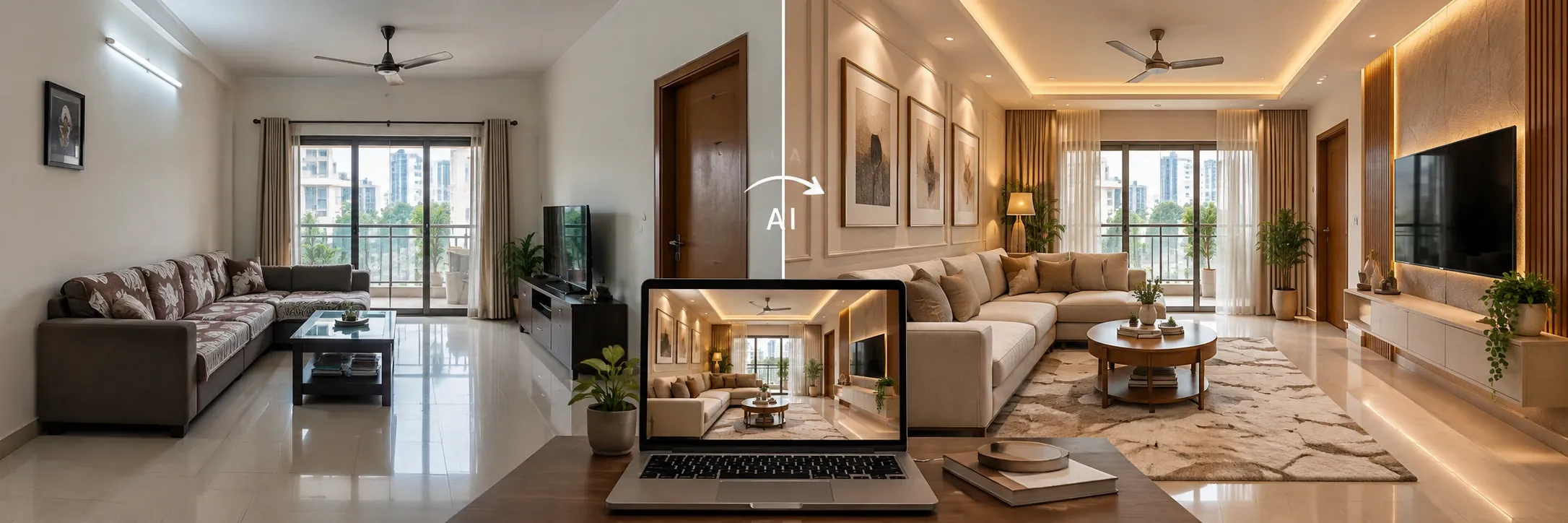
I used to think redesigning a room meant one or two things like a lot of erased pencil work with a designer. Turns out there's a third path now and it's the one most people quietly switch to after hearing about it. You take one photo of a room you already have, then describe what you want and a few minutes later you're looking at that same space redesigned in a totally different style. That's AI interior design, stripped down to the basics. Homeowners use it, renters use it and some of working designers quietly lean on it too before they commit to anything expensive.
Here's what actually happens behind the scenes when you design a room with AI. You give it a real photo of your space, no floor plan needed and no waiting weeks for a 3D render from a studio. You describe what you're picturing, and the AI interior design tool figures out where your walls, windows, and furniture already sit before it builds something new on top of that.
It's not trying to replace a trained designer's judgment. Think of it more like a rough draft machine, something that gives you a cheap look at your options before you spend real money on paint, furniture or a contractor.
Why People Are Turning to AI Tools for Room Design
AI interior design tools caught on for a reason. They quietly fix a handful of things traditional design has never been great at.
Saves Time Compared to Traditional Design Methods
Anyone who has actually worked with a designer knows the drill. An idea can take weeks to turn into something you can look at and react to. With AI tools, that same gap shrinks down to minutes. Upload an empty room image then describe your vision and you're staring at a result almost right away, which means you spend less time in limbo and more time deciding what you actually like.
Lets You Test Multiple Styles Before Committing
Here's the part people love most which is room design. AI doesn't force you to commit to one direction before you've even seen it. Run a modern version. Run a minimalist one right after. Try something warmer and more traditional too, just because you can. Set them side by side and let your eyes make the call instead of guessing from a mood board.
More Affordable Than Hiring a Full Design Team
Full concept development from a professional designer isn't cheap and honestly, most people don't need that much horsepower just to get unstuck on one room. You also don't need a background in color theory or rendering software here. If you can describe what's in your head using a single sentence, you're set. Renovate Room was basically built for this exact moment, type what you're imagining and watch it come together before anything in your actual room gets touched.
Step by Step: How to Design a Room with AI
Here's roughly how it goes from a completely blank space to a finished designed room.
Step 1: Upload a Photo of Your Room
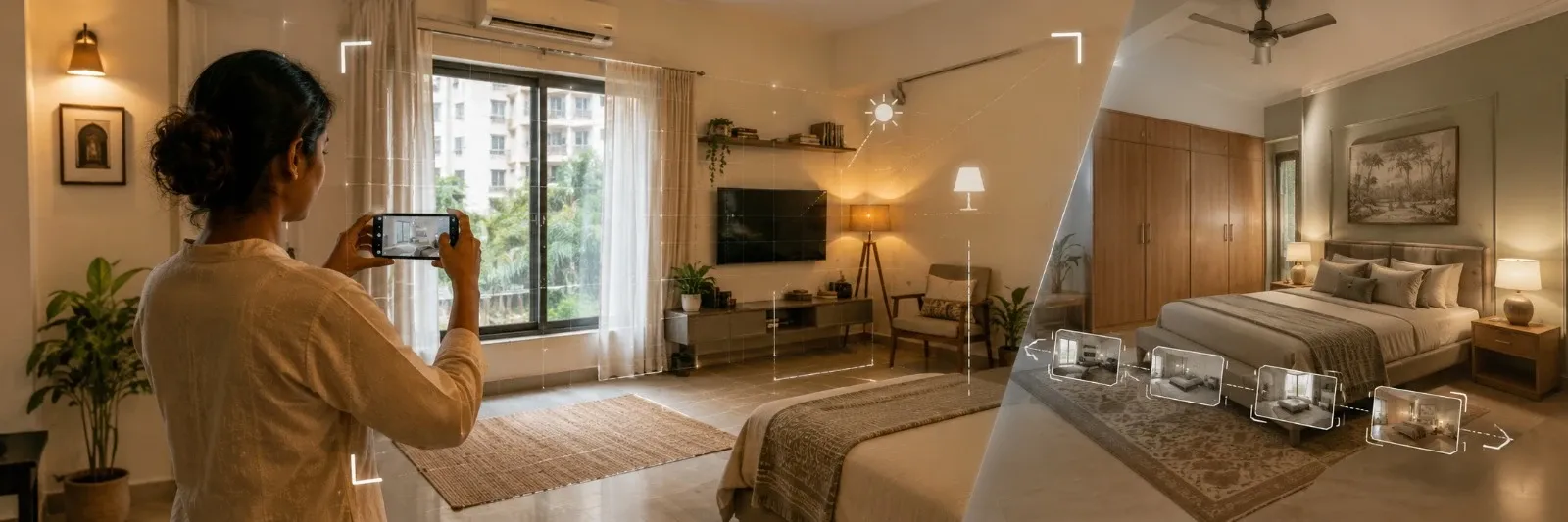
Grab whatever image you've got lying around. A quick phone photo works fine. A rough hand sketch works too, and so does a screenshot pulled straight from a 3D model. The clearer image the more accurately the AI picks up your walls, windows, and furniture.
Step 2: Choose Your Room Type and Style Direction
Tell the tool what kind of room you are looking for then point toward a style, modern, Scandinavian, minimalist, or whatever actually pulls at you. This is the step that starts making the result feel like it belongs to you specifically.
Step 3: Describe Your Vision in the Prompt
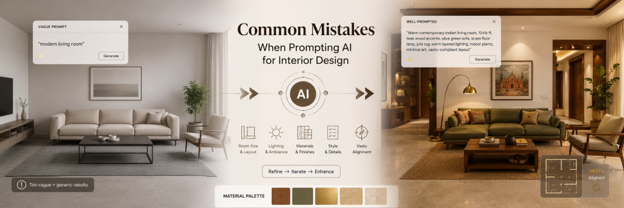
Now get into the details. Bring up the furniture you want and the colors you want for your room. A short and direct prompt always beats a long or over explained one.
Step 4: Select Lighting
People underestimate how much lighting changes a room. Daylight makes everything feel open and crisp. Warm lighting pulls the whole thing in another direction, cozier and slower. Pick one deliberately instead of that default one.
Step 5: Generate and Compare Multiple Designs
Most AI room design tools will happily hand you more than one option from a single input. Generate a handful then sit with them for a second and compare before you settle on anything.
Step 6: Refine and Download Your Final Design
Once one version clicks, fine tune it from there. Working from a completely bare room instead of a furnished one? Style Empty Room can furnish it with decor that fits your chosen style, so whatever you end up downloading actually looks finished.
What You Can Actually Change When You Design a Room with AI
Furniture and Layout
Shuffle around what's already there, try a completely different arrangement, or swap out pieces entirely. If your current layout feels cramped or just a bit wrong, Relayout Room can rework the furniture placement and overall space planning without stripping away what made the room feel like yours.
Colors and Materials
Wall paint, flooring, countertops, whatever surface you're dealing with, test a few combinations before you actually buy anything. Getting it wrong on a screen costs nothing. Getting it wrong in your kitchen definitely does not.
Lighting and Ambience
Some days call for bright and airy. Other days warm and moody just fits better, depending on your mood and what time of day you're picturing the room in.
Decor and Accessories
Rugs, artwork, plants, cushions add them in or pull them back out and watch how much they change the whole feel of a room.
Popular AI Interior Design Styles to Try
Not every style fits every room, obviously. Here are a few directions people keep reaching for when they use interior AI to design a room.
|
Style |
Best For |
Mood or Feel |
|
Modern |
Living rooms and kitchens |
Clean, sharp, uncluttered |
|
Scandinavian |
Bedrooms and small spaces |
Light, Airy, calm |
|
Minimalist |
Home offices and studios |
Simple, functional, quiet |
|
Industrial |
Lofts and open plan spaces |
Raw, textured, bold |
|
Bohemian |
Reading nooks and lounges |
Warm, layered, eclectic |
|
Traditional |
Dining rooms and formal spaces |
Classic, rich, structured |
Common Mistakes to Avoid When You Design a Room with AI
A handful of small habits quietly wreck good results, even with solid AI tools doing the heavy lifting. A blurry or messy photo throws the AI off about what's actually part of the room versus what's just clutter sitting in the frame. A prompt that rambles on for three sentences too long tends to muddy the output instead of sharpening it. Expecting your very first generation to come out perfect is another trap, because the results people are actually happy with usually come from generating a few variations and refining from there, not one lucky attempt. Lighting is also the setting most people skip past without a second thought, even though it does more for realism than almost anything else on the list.
AI Room Design vs Traditional Interior Design
|
Factor |
AI Room Design |
Traditional Interior Design |
|
Speed |
Minutes |
Days or weeks |
|
Cost |
Low or subscription based |
Can be expensive per project |
|
Flexibility |
Generate multiple variations easily |
Revisions take extra time and cost |
|
Experience Needed |
None |
Design knowledge is helpful |
|
Best For |
Early ideation and quick visualization |
Full project management and execution |
AI interior design tools were never built to replace a professional designer on a major renovation project. Where they actually shine is earlier in the process, testing ideas fast and narrowing down a direction before you commit real time or money to a final plan.
Tips to Get the Best Results from AI Interior Design Tools
Start with a clean, well lit photo. It will always beat a dark or cluttered one, no exceptions. Keep your prompt short and specific instead of long and vague. Name objects directly when you want something added or taken out. Choose your lighting mood on purpose instead of leaving it on whatever default is set. And don't settle for the very first output. Generate a few variations and actually pick the one that fits.
Final Thoughts
Designing a room with AI is not only about technology. It's about giving yourself space to experiment before anything becomes permanent, trying out styles, comparing layouts and playing around with lighting. This all works without picking up a paintbrush or moving a single piece of furniture. If you want to actually try it then you can try Designesto that brings these AI interior design tools together in one place. Now getting from a plain room photo to a finished design only takes a handful of steps.
In Case You Missed Anything
Everything you need to know about transforming your space with AI
Yes, though it works best as a starting point rather than a finished hands off solution. Upload a photo, describe the style and feature you're after and the AI builds a realistic concept from there.
Most AI interior design tools offer a free tier or a small batch of free credits to start with. Upload a room photo, describe your style, and generate your first design without spending anything.
Not really. You don't need to understand color theory, layout planning or any software. If you can describe what you want in one sentence then you already have what it takes.
A clear, well lit photo where the walls, windows, and furniture are all visible works best. Sketches and 3D screenshots work fine too, but a clean photo tends to give the most accurate starting point.
You don't have to redo the entire room if you don't want to. If you're already happy with most of the space you can just focus on one element like swapping the flooring, testing a new wall color or trying out different furniture and leave everything else exactly as it is.
It depends on the platform, but most offer either a free trial or monthly plans that cost a fraction of what a full design team would charge for the same amount of exploring.
The types of interior design styles that AI room design tools can generate are Modern, Scandinavian, minimalist, industrial, bohemian, traditional and pretty or any custom direction you want it can generate all.