
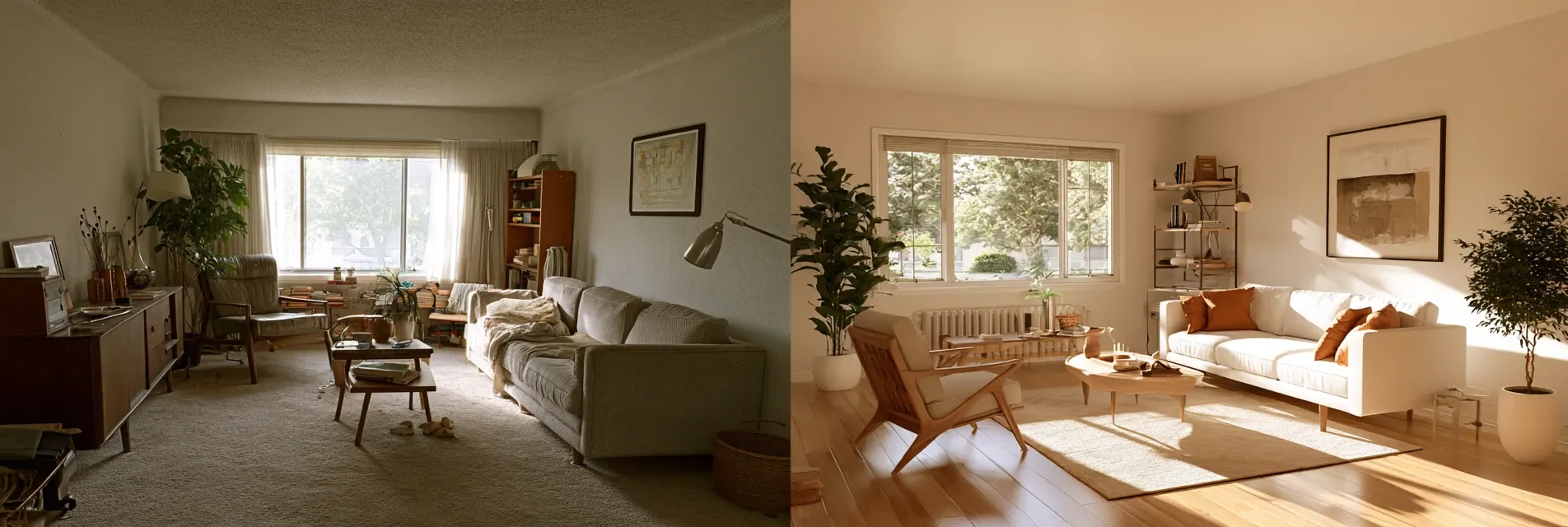
How to Design a Living Room with AI
The living room usually takes on more pressure than any other room in the house. It has to handle movie nights, guests, and quiet evenings all at. The wrong layout means living in a space that never quite feels right. AI interior design has made this a lot easier to work through. You can see a redesigned living room in minutes and weigh a few different directions before committing to one. This guide walks through how to actually design a living room with AI starting from your first photo and ending with a layout and style you're confident about.
What Is AI Living Room Design and How Does It Work
AI living room design uses image recognition together with generative models to understand your existing space and produce new versions of it based on a style furniture arrangement or set of changes you ask for. Instead of starting from a blank 3D model most AI room design tools work from an actual photo of your room which is a big part of why the output feels like your living room and not a generic showroom shot.
From a Photo of Your Room to a Finished Look
You upload a photo the tool reads the walls windows and existing furniture and then generates a new version based on whatever direction you give it. A good tool keeps your real dimensions ceiling height and window placement intact rather than inventing a room that has nothing to do with yours.
Why More Homeowners Are Using AI Room Design for Living Rooms
The living room tends to be where people agonize most over decisions like sofa placement, TV position and rug size because getting any of these wrong is an expensive mistake to fix later. AI interior design tools let you try out several furniture arrangements and color schemes in one sitting after that share the results with a partner or a decorator before you buy anything.
Step 1: Photograph Your Living Room the Right Way
Your results depend heavily on the photo you start with. A dim room, a cluttered floor or an odd angle will confuse the model and give you a design that doesn't really reflect your space.
Lighting, Angle and Clutter Tips That Improve Results
Take the photo during daytime with the curtains open. Stand near a corner so you capture as much of the room as possible and try to clear obvious clutter like toys or laundry off the floor first. If your living room is large or has an unusual shape take two or three photos from different corners so you have options to work with.
Step 2: Choose a Style Before You Generate Anything
Pick a direction before you start generating rather than trying every style randomly. It keeps your results consistent and makes it much easier to compare options side by side later.
Popular AI Living Room Interior Design Styles Right Now
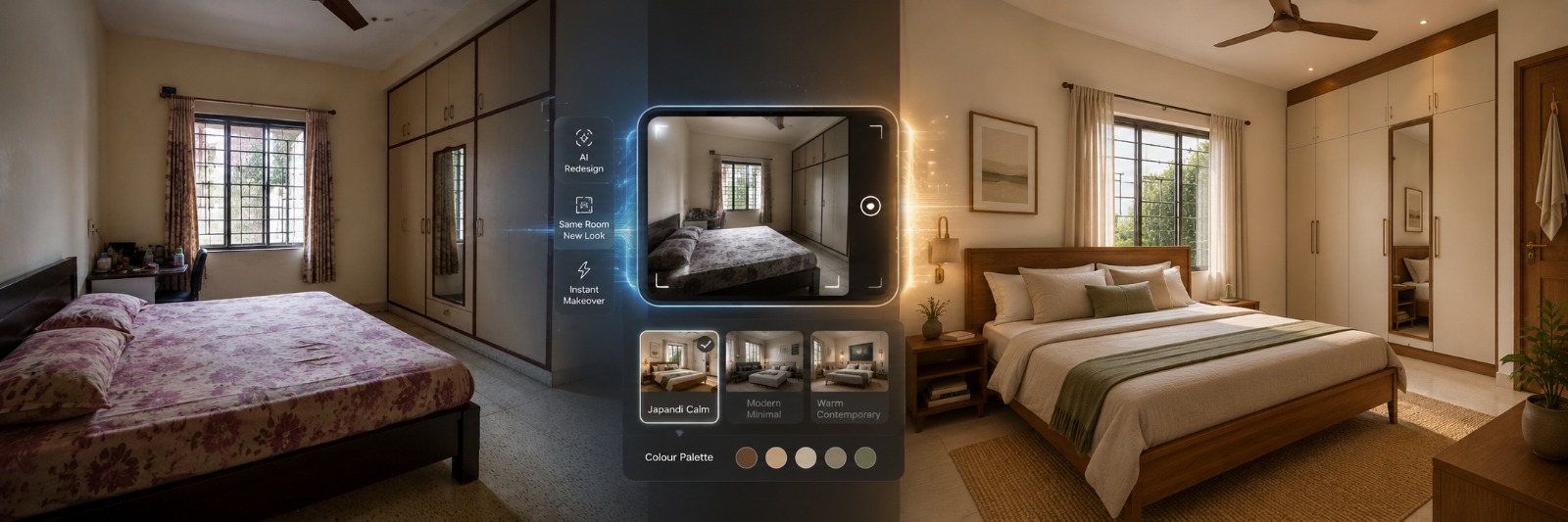
Warm minimal looks with neutral tones and natural textures are extremely popular right now along with Japandi inspired living rooms that mix Japanese simplicity with Scandinavian warmth. Bold maximalist styles with layered patterns and rich colors are also having a moment for people who want a living room with more personality. Whatever direction you choose AI room design tools tend to handle fabric texture and lighting realistically enough to judge if a style will work.
Matching a Style to Your Room's Actual Shape
If your living room has a fixed layout with limited wall space or an awkward corner choose a style and furniture set that realistically fits that shape. A striking render that assumes double the floor space you actually have isn't useful once you try to recreate it.
Step 3: Let AI Reimagine Your Living Room
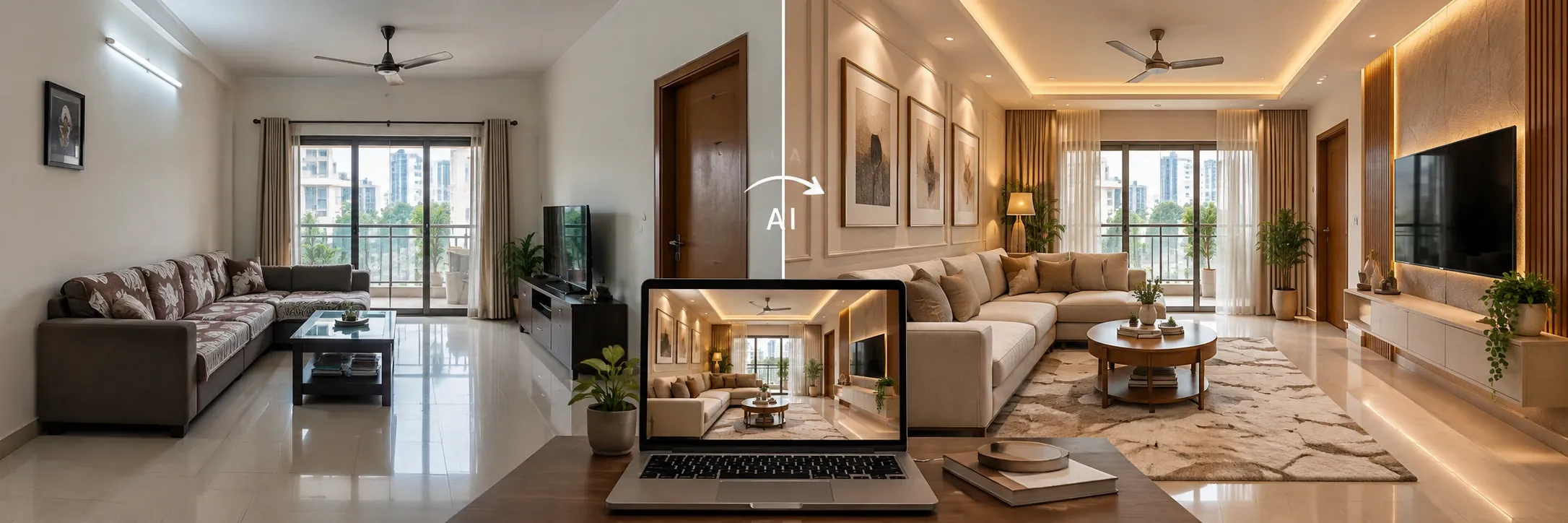
Once you have a photo and a style in mind this is where the actual redesign happens. Designesto's Reimagine Room takes your uploaded living room photo and generates a full redesign in the style you choose while keeping your room's real proportions intact.
What a Believable Living Room Render Should Include
A useful render shows furniture at a realistic scale for your room correct light direction based on your actual windows and a rug size that would genuinely fit the floor space. If a render looks impressive but seems to invent extra square footage treat it as a mood board reference rather than a plan you can act on directly.
Step 4: Get the Furniture Layout Right
Styling only gets you halfway there. Layout is where most living rooms actually succeed or fail, and it's a step that a lot of AI interior design content skips over in favor of just showing pretty finished renders.
Finding a Focal Point and Fixing Traffic Flow
Every living room works better when it's built around one clear focal point - a TV wall, a fireplace, or a large window. Furniture should be arranged around that focal point while still leaving a clear path to walk through the room. Relayout Room tool lets you try out a completely different furniture arrangement using your own existing pieces, so you can see how a new layout would actually look before you move a single sofa.
Open Plan vs Closed Living Rooms
An open plan living room that flows into a dining or kitchen area usually needs furniture that defines the zones - a rug marking off the seating area, or a sofa placed to create a visual boundary. A closed living room, with four walls on every side, gives you more room to play with since there's no adjoining space pulling at it - you can lay out the furniture purely around comfort and conversation.
Step 5: Furnish an Empty or Bare Living Room
If you've just moved in, or you're staging a living room that's completely empty, this step matters more than any of the others - you're deciding everything from scratch.
Going from an Empty Shell to a Styled Room
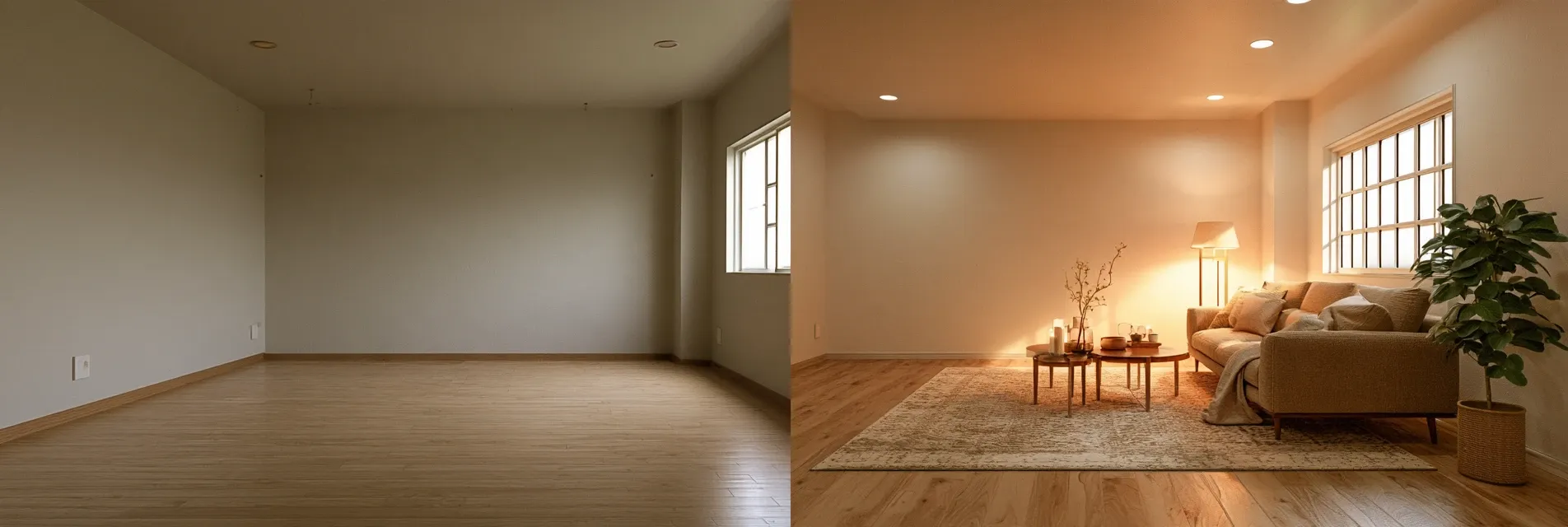
Style Empty Room tool takes a bare living room and generates a fully furnished version of it in the style you choose which is genuinely useful if you're trying to decide on furniture before spending anything on it. This is one of the more practical ways to use AI room design since there's no existing furniture to work around and the tool has full freedom to suggest a layout that actually fits.
Step 6: Check the Design From Multiple Angles Before You Commit
Before finalizing anything look at your design from more than one angle. A layout that looks balanced from the doorway can feel cramped from the sofa itself and a color that seems calm in one render can look completely different under a different light angle. Generating a second or third view of the same design is a quick way to catch problems before you buy furniture based on a single flattering angle.
Living Room Layout Styles at a Glance
|
Layout Style |
Best For |
Space Needed |
Key Advantage |
|
Symmetrical |
Formal or traditional rooms |
Medium to large |
Balanced and easy to plan around |
|
Conversation Circle |
Social or family focused rooms |
Medium |
Encourages face to face interaction |
|
Zoned Open Plan |
Living rooms connected to dining or kitchen |
Large |
Defines separate areas without walls |
|
Media Wall Focused |
Rooms centered on a TV or fireplace |
Small to medium |
Clear focal point and easy furniture planning |
Common Mistakes People Make Designing a Living Room with AI
Treating the first render as a finished plan instead of a starting point is the most common one. Uploading a dark or cluttered photo is another, since it leads the AI to misread the actual size and shape of the room. People also sometimes fall for a style that photographs beautifully but wouldn't actually suit how they live - a delicate all-white living room in a house with young kids or pets, for instance. Skipping the layout step and jumping straight into color and decor is another shortcut that often leads to a design that looks good in photos but doesn't really flow in daily use.
Can AI Handle Your Living Room or Do You Need a Professional
This is usually the real question behind the whole exercise.
Where AI Room Design Genuinely Helps
For testing furniture arrangements comparing color palettes and deciding on a style direction AI interior design tools save an enormous amount of time. They let you explore several genuinely different looks for the same living room in one sitting and give you a visual reference that's far easier to act on than a mental picture or a mood board alone.
Where a Real Designer Still Matters
Once you're dealing with structural changes like removing a wall changing ceiling height or planning custom built in furniture a qualified designer or contractor needs to be involved regardless of how good a render looks. AI is best treated as a planning and visualization tool rather than something that replaces someone who understands the physical realities of your home.
Final Thoughts
Designing a living room with AI works best as a structured process rather than one lucky generation. Start with a good photo decide on a style test your furniture layout and only then move into final styling details. Approached this way AI interior design tools shorten the distance between an idea for your living room and a decision you can actually act on.
If you want to try this process yourself go for Designesto AI room design tools which covers each stage from reimagining a space to fixing the furniture layout and furnishing an empty room all built around your actual living room instead of a generic template.
In Case You Missed Anything
Everything you need to know about transforming your space with AI
It's accurate enough to guide furniture choices, color decisions and layout, but always double check actual measurements before ordering anything large like a sofa or a rug.
Yes. Layout focused room design tools can suggest a new furniture arrangement using pieces you already own rather than only changing colors or decor on the current setup.
No. A clear daytime photo taken on a phone with the room reasonably tidy is usually enough to get a useful result.
Yes. This is one of the most useful applications since the tool can suggest a full furniture layout and style without you needing to work around existing pieces.
AI room design gives you a fast visual starting point you can explore on your own while a designer brings judgment on structural limits budget and sourcing that AI tools don't handle.
Good tools can usually identify where a living room connects to another space though it helps to mention in your instructions that the room is open plan so the AI considers zoning.
Yes. You can generate several different style directions from the same base photo and compare them side by side before settling on one.